
Desk Setup Tips for Focus and Comfort: Boost Your Productivity

Creating an effective desk setup can make a significant difference in your ability to focus and stay comfortable throughout the workday. Whether you work from home, in an office, or study at a desk, arranging your workspace thoughtfully can help reduce distractions, prevent discomfort, and boost your productivity.
In this post, we’ll explore practical tips to help you optimize your desk setup for both focus and comfort.
Why Your Desk Setup Matters
A well-organized and ergonomic desk setup supports better posture, reduces physical strain, and minimizes distractions. When your workspace suits your needs, it becomes easier to stay engaged and focused on your tasks. Conversely, a cluttered or uncomfortable setup can lead to fatigue, frustration, and decreased efficiency.
Choosing the Right Desk and Chair
Desk Height and Size
– Height: Aim for a desk height that allows your elbows to rest at a 90-degree angle while typing or writing. Standard desks are usually around 28-30 inches high, but this varies depending on your height.
– Size: Pick a desk large enough to hold your essential items without overcrowding. This typically includes your computer, a keyboard, mouse, and space for notes or other tools.
Ergonomic Chair
– Invest in a chair that supports your lower back and encourages good posture.
– Adjustable height and backrest features help you customize the seat to your body.
– The chair should allow your feet to rest flat on the floor or on a footrest.
Keyboard and Mouse Placement
Place your keyboard and mouse within easy reach to avoid overextending your arms. A keyboard tray can help adjust the position if your desk height isn’t ideal. Wrist rests may also reduce strain, but it’s important to keep wrists straight while typing.
Monitor Setup for Reduced Eye Strain
– Position your monitor about an arm’s length away.
– The top of the screen should be at or just below eye level to avoid neck strain.
– Use a monitor stand or adjustable arm if needed.
– Adjust brightness and contrast for comfort and consider reducing blue light with software or glasses.
Lighting: Balancing Brightness and Glare
Good lighting prevents eye strain and helps maintain alertness.
– Natural light is ideal, so place your desk near a window if possible.
– Use a desk lamp with adjustable brightness and positioning to avoid glare on your screen.
– Avoid harsh overhead lights; softer, indirect lighting is often better.
Organizing Your Workspace
Declutter Regularly
Keep only essential items on your desk. Decluttering reduces distractions and creates mental clarity.
Use Storage Solutions
– Utilize drawers, shelves, and organizers to keep supplies tidy.
– Cable management tools help prevent cords from tangling and cluttering the desk.
Personal Touches
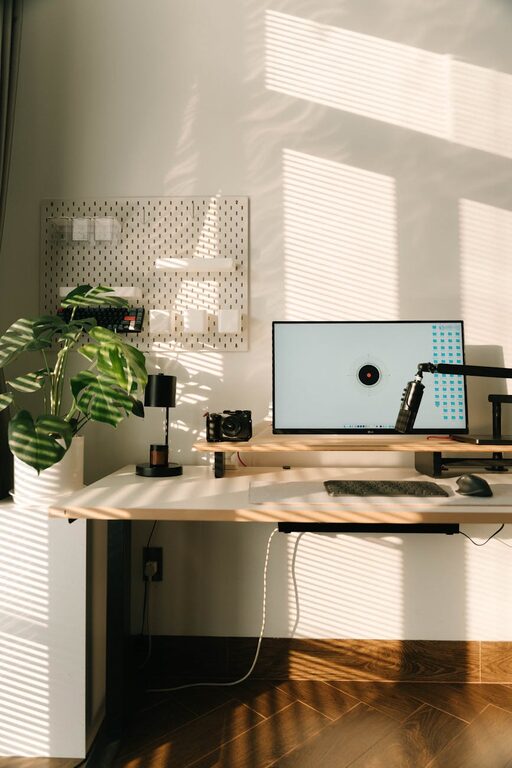
Add a few items that inspire or calm you, such as a small plant or a photo. Keep these minimal to maintain focus.
Maintaining Good Posture
Your desk setup should encourage upright posture:
– Sit with your back straight and shoulders relaxed.
– Keep your feet flat on the floor.
– Avoid leaning forward or slouching.
– Take regular breaks to stand, stretch, and move around.
Adding Comfort Features
Ergonomic Accessories
– Consider a footrest if your feet don’t comfortably reach the floor.
– A standing desk or desk converter allows you to alternate between sitting and standing.
– A cushioned mouse pad or gel wrist rest can improve comfort.
Temperature and Air Quality
– Ensure good ventilation and comfortable room temperature.
– Adding a small fan or humidifier can improve your workspace environment.
Tips for Staying Focused at Your Desk
– Keep your phone and other distractions out of sight.
– Use noise-cancelling headphones or background music if it helps your concentration.
– Set a timer for focused work sessions with short breaks to avoid burnout.
Final Thoughts
Creating a desk setup designed for focus and comfort doesn’t have to be complicated. By adjusting your furniture, managing your workspace, and paying attention to ergonomics and lighting, you can build an environment that supports your productivity and well-being.
Start with small changes and gradually customize your desk until it fits your unique needs. A better workspace can lead to better workdays!
Related Post
Easy Ways to Add Nature to Your Workspace for a Calmer Day
Discover simple and practical ideas to bring the calming effects of nature into your workspace [...]